I and my teammate, Royal, built the Skate Controller as our hackathon project for GSU's Hacklanta, 2026.
What it does
The Skate controller lets you use skateboard movements as an input device to control your computer . The most obvious use case of this is for video games, our game of choice used in all our demos is a fan-made mod of EA's Skate. (2025), running on PC.
Our invention let's users practice their balance and landings on a real skateboard while doing it in a fun, interactive way.
Fig. 1 — David on the SkateController
Inspiration
Skateboarding: the culture of skateboarding, video games, and 3D design in general. We’ve always had an appreciation for skateboarding, and we wanted to make this project a love letter to all of those things. I personally got into skateboarding from watching skate videos on youtube, and we felt this idea was perfect for the creative track because it was such an innovative concept. We’re happy with how it turned out.
How we built it
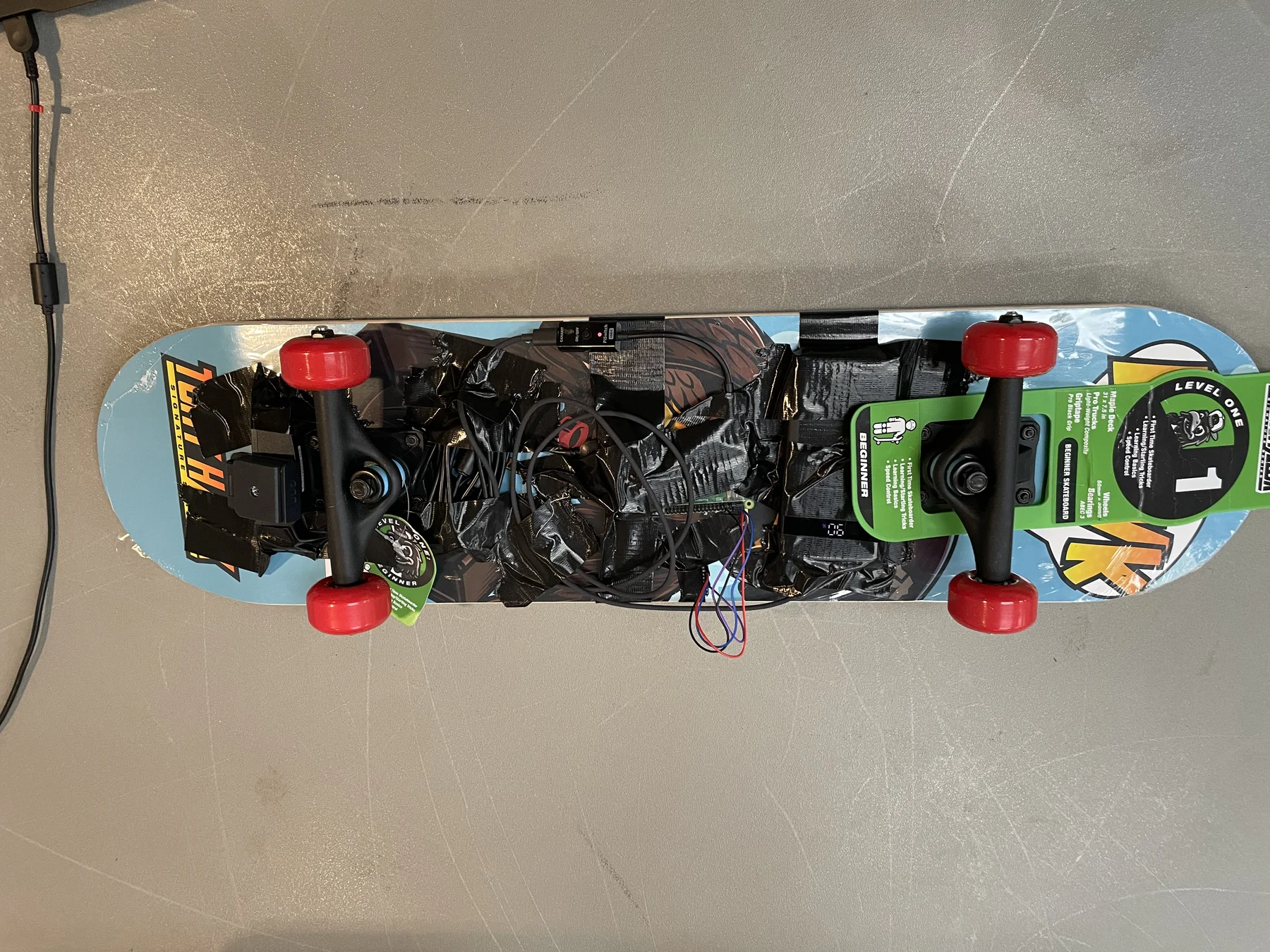
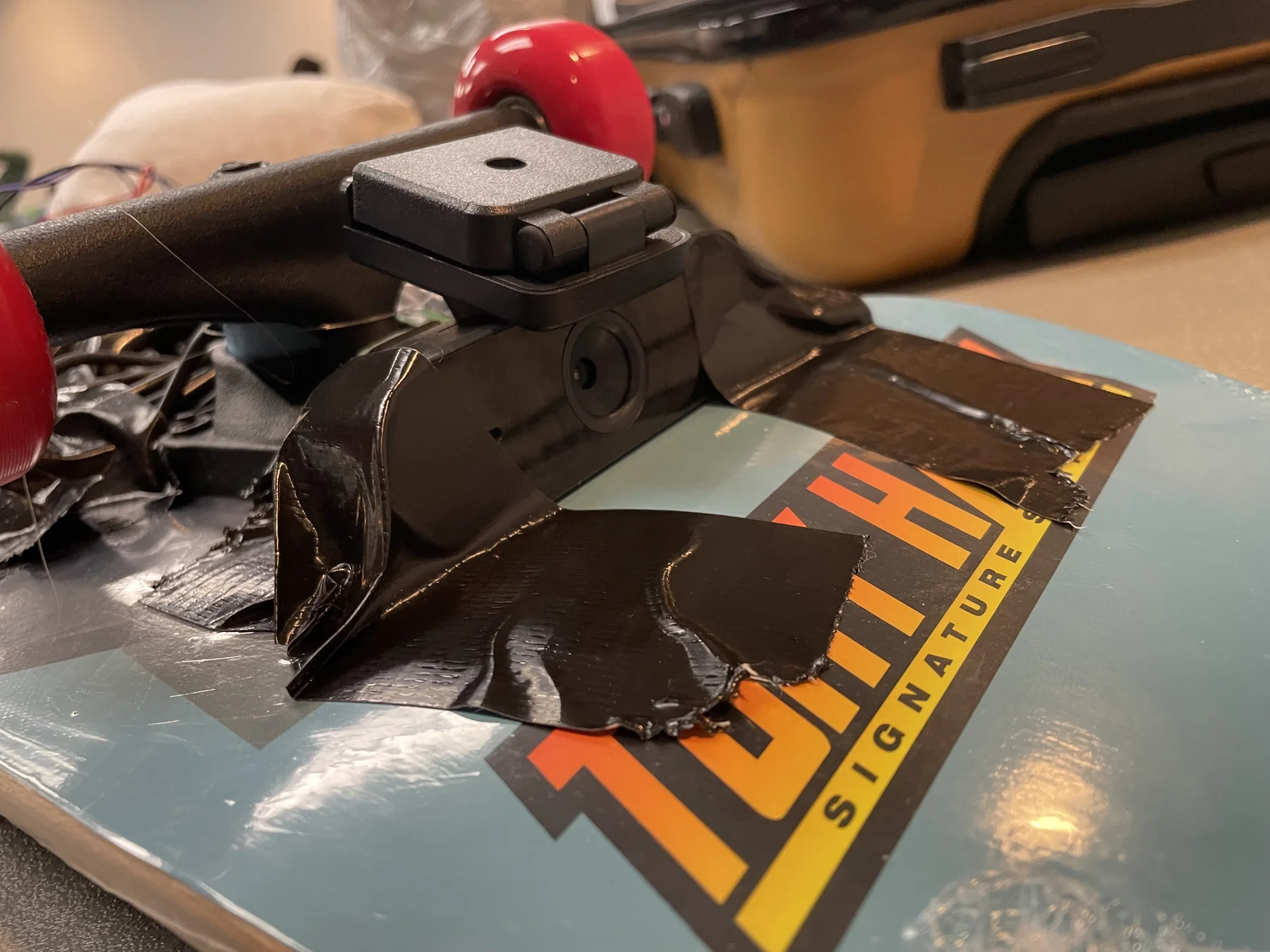
We used a Raspberry Pi, a nano 1080p live webcam, and an MPU-6050 mounted on a skateboard.
Fig. 2 — Top view of SkateController
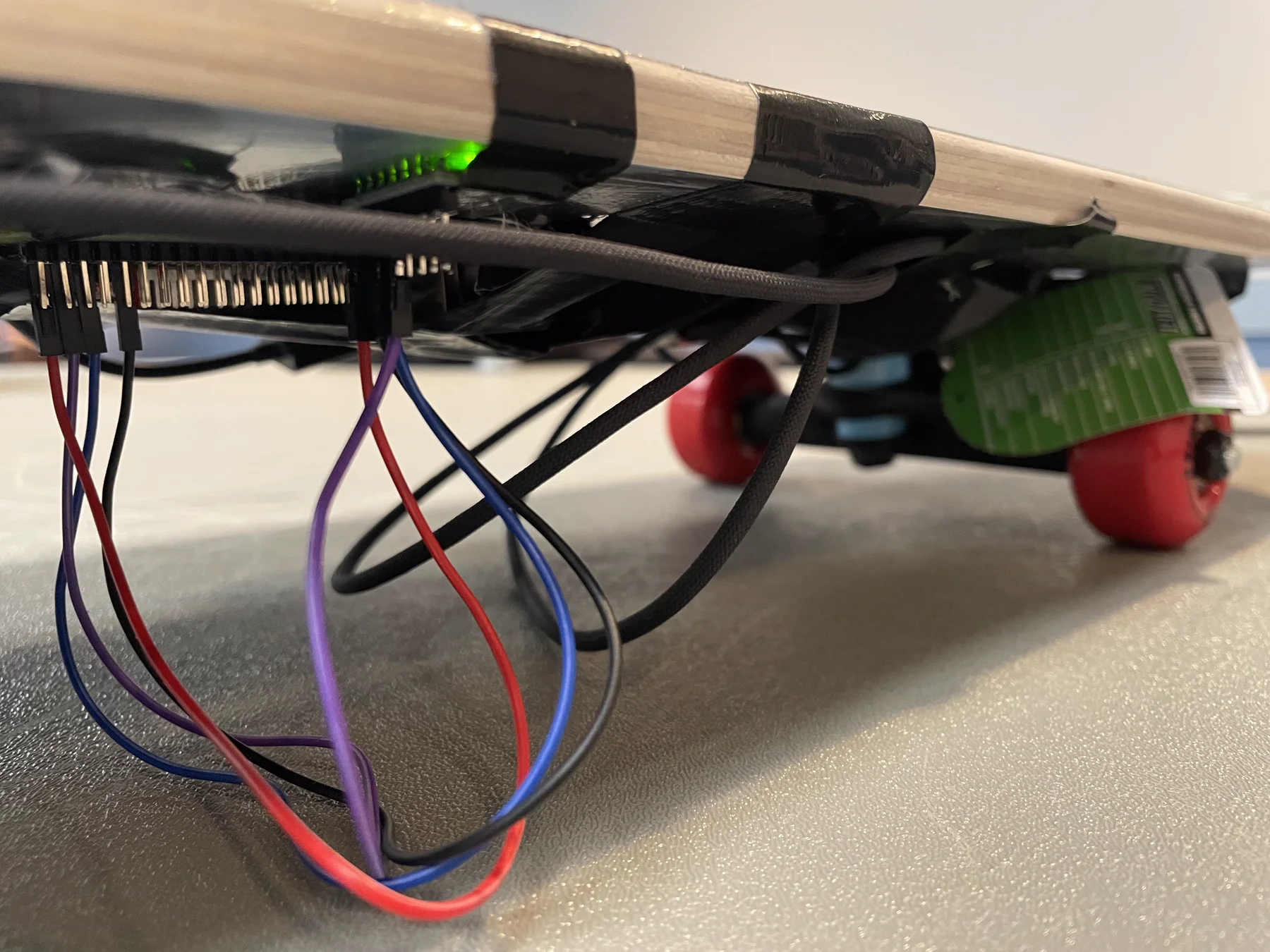
SkateController uses Python for hardware access and game input, Svelte and TypeScript for the live interface, and Tauri’s Rust shell to package everything as a desktop app. Python gave us straightforward access to sensor, networking, and controller libraries, while Svelte kept the UI responsive. On the skateboard, a Raspberry Pi reads an MPU-6050 accelerometer and gyroscope over I²C and streams the readings to the laptop as JSON over UDP through Wi-Fi. The laptop processes those readings and sends live telemetry to the UI over WebSockets.
Fig. 3 — SkateController close-up
Left and right lean
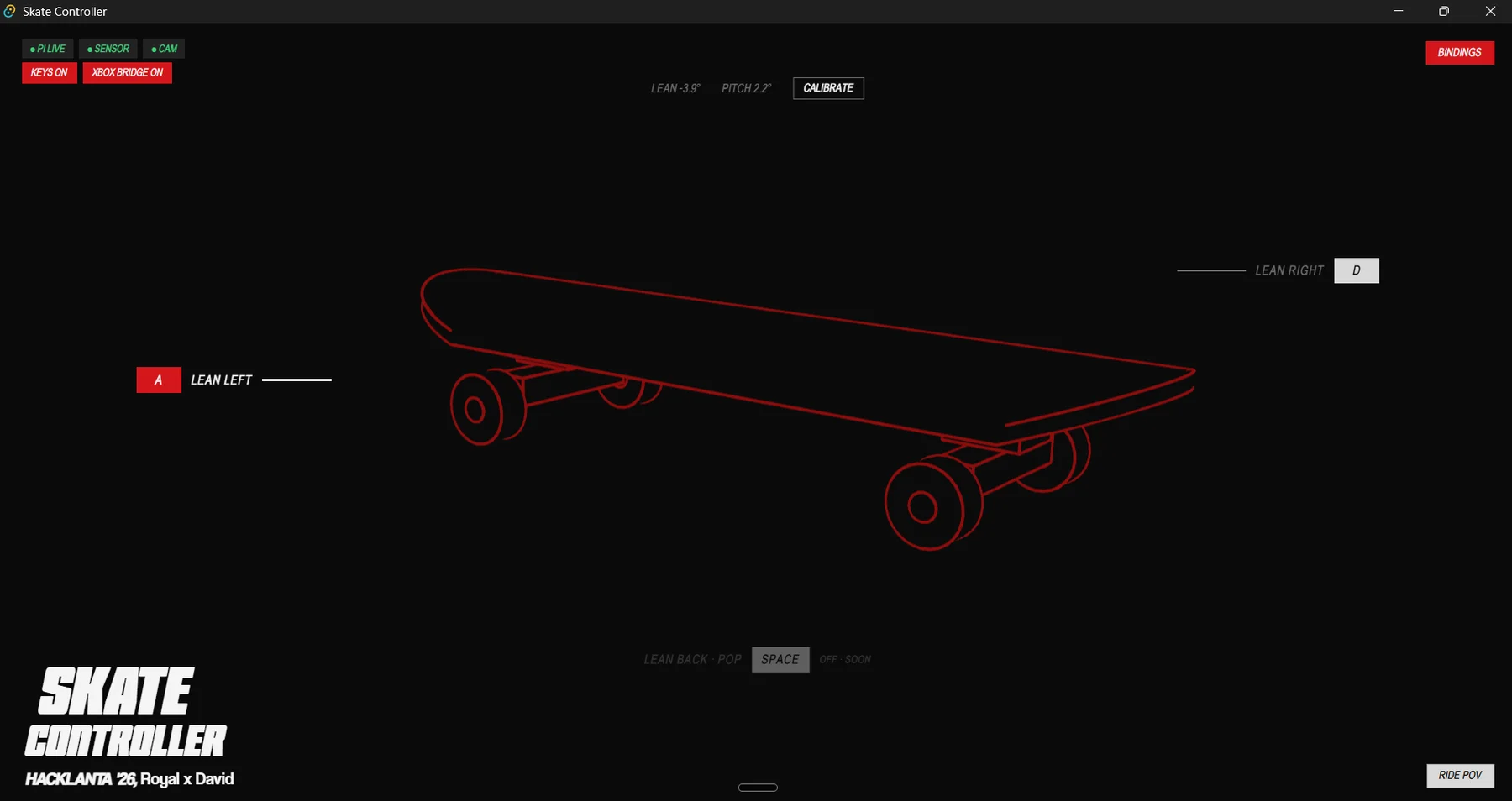
We tested the mounted sensor to identify which axis tracked sideways lean. Its accelerometer’s Y axis gave us a consistent signal: negative readings relative to neutral indicated left lean, and positive readings indicated right lean. We calibrated the rider’s resting position, added a dead zone to ignore small balance adjustments, and used separate thresholds to activate each direction. The laptop holds the corresponding steering key until the board returns to center or changes direction.
Fig. 4 — Testing accelerometer values on SkateController during development
Ollie detection
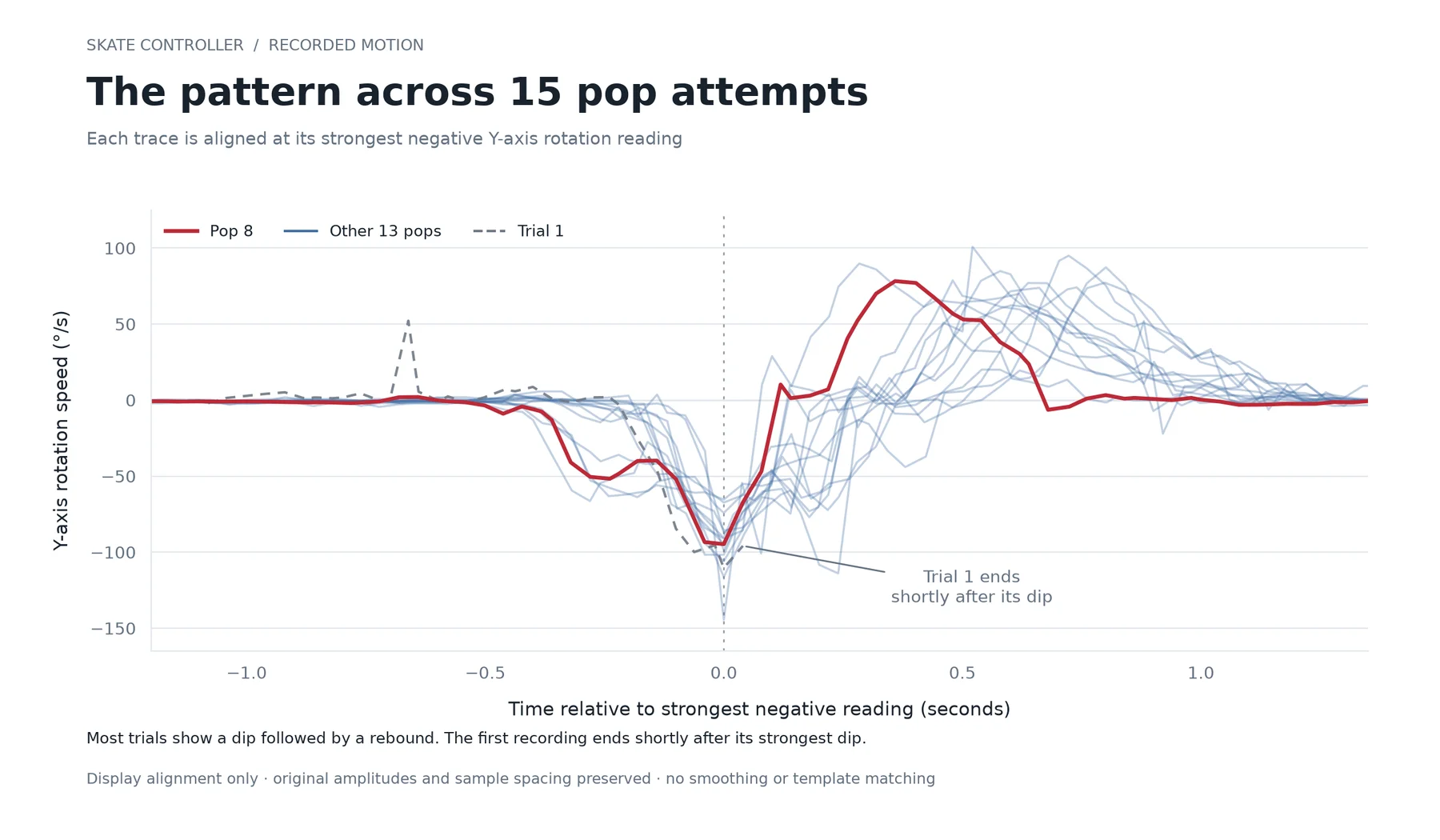
We recorded examples of real pops alongside ordinary movements and identified a distinctive back-foot rotation followed by a rebound in the gyroscope readings. A timed detector with a cooldown recognizes that sequence and triggers Space, which our virtual Xbox controller bridge converts into the right-stick motion the game expects.
Fig. 5 — The pattern across 15 pops on the skateboard
Fig. 6 — SkateController UI for key mapping and live 3D mirroring
Challenges we ran into
We had sensitivity issues with the accelerometer, such as it being too responsive, and it was very hard to actually categorize motion. The first time we read the values from the accelerometer, we weren’t even sure which axis was which; we had to plot graphs to visualize them and do a lot of playing around with the calibration before we got it right.
Accomplishments that we’re proud of
We’re proud of the entire project, honestly. We’re proud that we made something we would actually use in real life, that we were able to finish it, that it came out exactly how we wanted, and that we did it in such a short amount of time
Fig. 7 — Royal on the SkateController
What we learned
We learned a lot about hardware and how to use it. Even in the process of generating the idea, we learned that sometimes the best ideas come when they need to come. Sometimes the right answer is hidden in plain sight.
What’s next for SkateController
Making more use of the live camera system, since seeing your POV was such a cool part of the project. Because it’s a prototype and we didn’t have much time, we’d also like to build a more secure harness for all the tech so it doesn’t break easily. We’d also like to create 3D representations of the scenes the webcam captures, so people can go back and relive their sessions. Ultimately, we would love to see this turned into an actual product that’s accessible to people.
Fig. 8 — Close-up of DeckCamFig. 9 — Deck cam of SkateController
Fig. 1 — Engraved ring 3D animation for ROV Studios’ website, 2025
ROV needed something to introduce them to the world. My task was clear: 1. find out what that was, and 2. make it.
To find that “thing”, I had to do some brainstorming. What do they represent as a creative agency? What feeling do they want potential clients to have, discovering them for the first time?
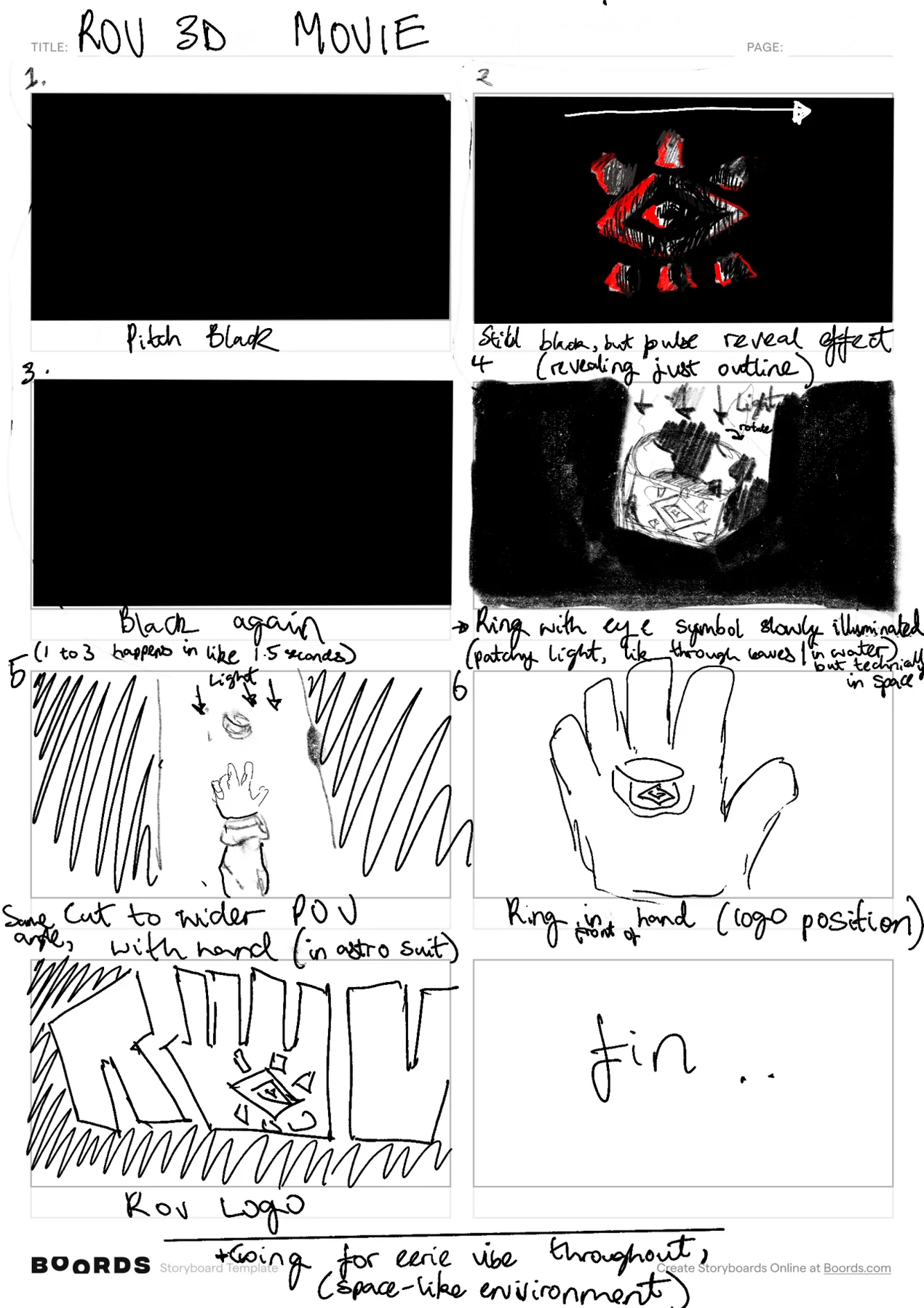
After I sort of had an impression of their vibe – the things that first pop up when I close my eyes and think of them – I knew what I wanted to do to inch them closer to the “goal”. A storyboard was made to represent what I had in mind.
Fig. 2 — The first storyboard I made for ROV
Brainstorming over, time for the hard part: the 3D stuff.
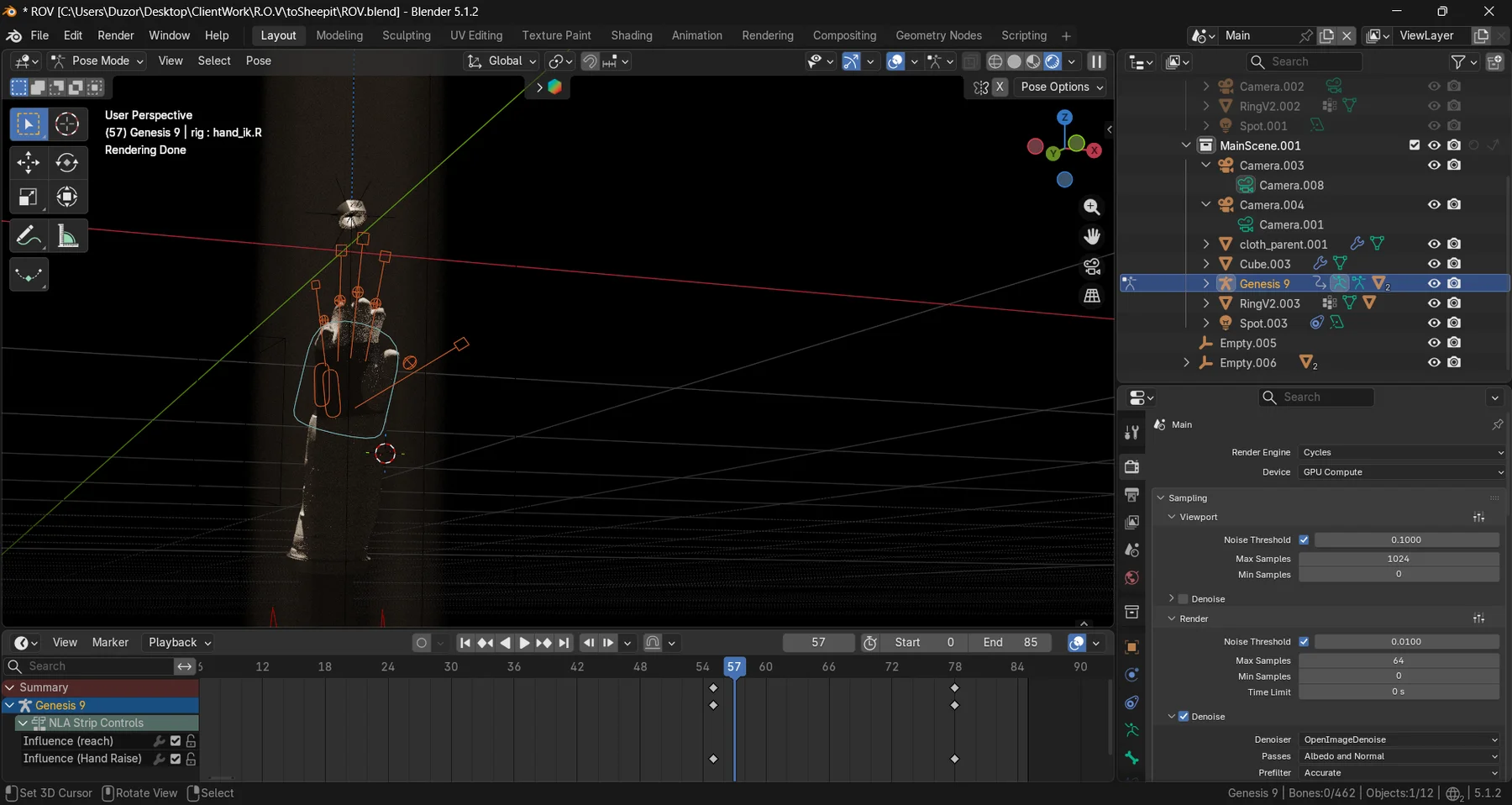
The majority of 3D visual projects can be broken down into 4 main parts: 1. Modelling, 2. Texturing, 3. Animation, 4. Rendering + Post Processing.
Each of these stages has certain quirks that make it a pain in the ass in its own way.
Fig. 3 — Constructing the SpaceGlove model from 2D patterns in CLO3D
Fig. 4 — AstroGlove 3D model in Blender, for ROVFig. 5 — Color grading the 3D render for ROV
When that was done, I also took the final and put it into their home page. The scroll trigger was really fulfilling, and I think it came out cool. Comparing the final storyboard to the final product is always really satisfying.
Fig. 6 — Final ROV trailer, made under my direction
research + development
software engineering
3d
Geometry Research - MIT
The Summer Geometry Initiative: a six-week research program in geometry processing, hosted by MIT
Fig. 1 — Application of the inverse geometric locomotion framework, courtesy of the MiniRo Lab at the University of Notre Dame
In 2025 I was an SGI Fellow at the Summer Geometry Initiative (SGI), a six-week summer research program that introduces undergraduate and graduate students to geometry processing. It’s the field behind a lot of the 3D tools used in computer vision, additive manufacturing and scientific computing, and its algorithms pull ideas from differential geometry, topology, physical simulation, statistics and optimization.
The first week is hands-on tutorials on the theory and practice of geometry processing, with no background expected. For the rest of the program, you work in small teams on research projects led by faculty and research scientists in the field, with a new project every week or two, while attending talks from visiting researchers.
Inverse geometric locomotion
The project I’ve highlighted here is one of my favourites from the internship. It was led by Quentin Becker and Oliver Gross and built on their work on inverse geometric locomotion. The question: how does a snake-like robot move using nothing but changes in its own shape, with no wheels and no legs, and what happens when some of its joints break?
“Inverse” means working backwards from a goal, like reaching a point, turning, or getting around an obstacle, to find the sequence of shapes that gets the robot there. We treated it as an optimization over shape changes alone. In Python, we defined the joint angles, integrated them forward into a trajectory, and used gradient descent to nudge the angles toward the target. Obstacles were described as implicit functions, positive outside and negative inside, so the planner could keep the robot in the safe region.
Fig. 2 — Snake robot simulation, visualized in 3D
Disabling joints made the gait less efficient, and some joints mattered a lot more than others, but re-running the optimization with those joints locked let the robot keep moving. In simulation, it re-planned its slither around obstacles of different shapes. The shape sequences were then put to work on a real snake robot from the MiniRo Lab at the University of Notre Dame, the one at the top of this page.
I’m really grateful to Justin Solomon for giving me the chance.
software engineering
CresCuts
I helped build crescuts.com, the booking and automation software for service-based businesses.
Fig. 1 — Testing our sign-up logic on the crescuts.com homepage
Working on Cres taught me basically everything I know about building useful software: problem identification, creating MVPs, product design, frontend and backend development, system design and cloud engineering. I was involved in every step of the development process, and working on it daily exposed me to a lot of languages and technologies, many of which have become favourites in my stack: SvelteKit, Spring, Gradle, Docker, AWS (VPC, EC2, ECS, S3) and Cursor, the AI code editor.
The last project I worked on before I left automated SMS and email outreach to potential leads. I moved an existing system we had in n8n into our codebase, and wrote web scrapers to find the names of potential leads behind the business websites we pulled from the Google Places API.
Taking it a step further, I combined structured output from an LLM with tool calls to build an agent that gathered as much publicly available information (legally) as it could about each lead in our database, so we could send each one a personalized outreach message.
design + art direction
AxDFlicks
AxDFlicks is a photography collaboration between me and Ade.
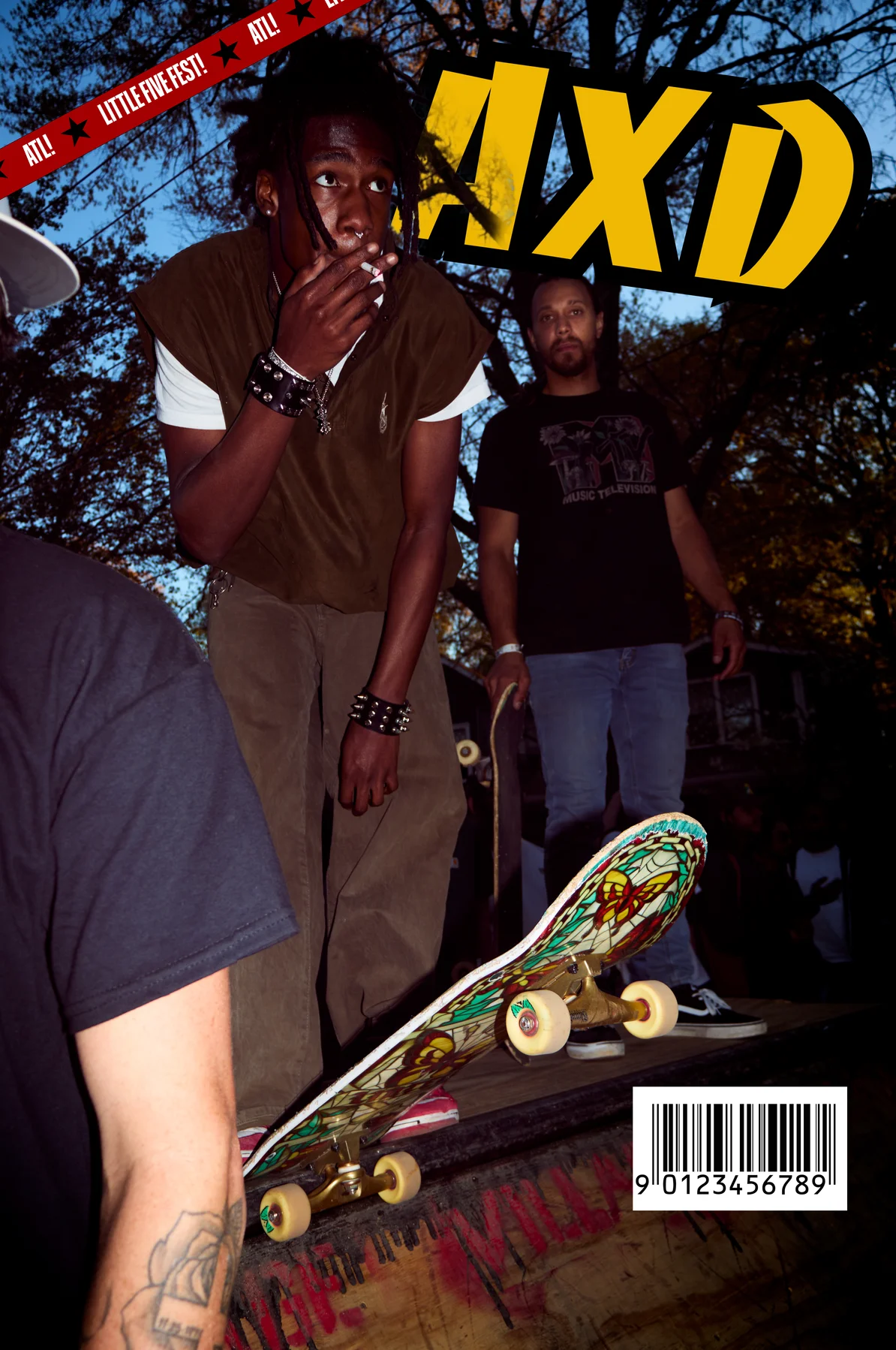
Fig. 1 — Little Five Fest, edited magazine-style for AXDFLICKS, 2026
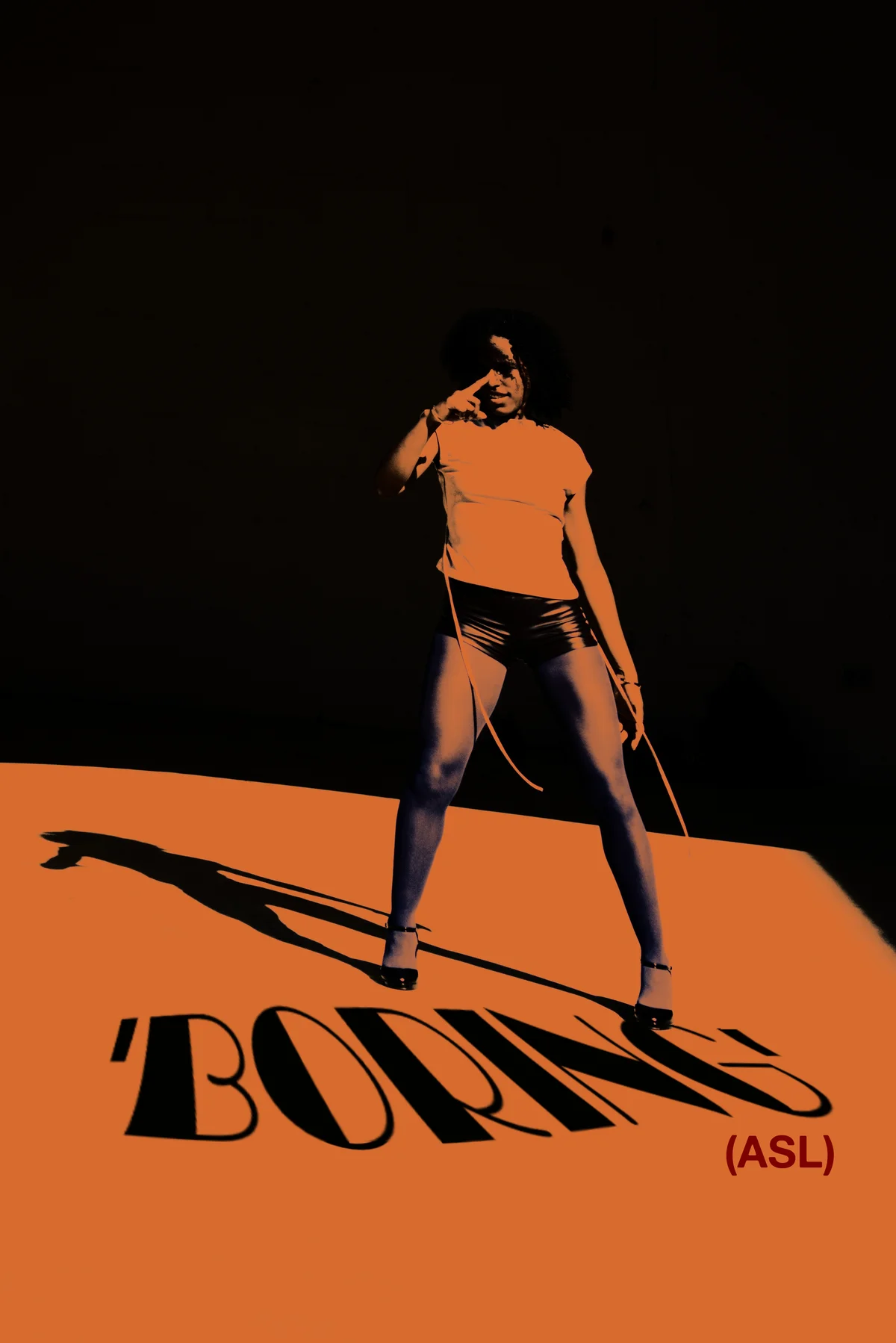
Ade and I were friends before we found out we were both into photography, so instead of competing, we put our skills together. Nobody was really documenting street style in Athens, so we started AxDFlicks on Instagram. What started off as a creative experiment and a side hustle turned into something bigger than we expected.
Over several months we shot mostly around our Athens campus and the Atlanta area: events, portraits and sessions, plus editorial pieces like the ones here.
Fig. 2 — ‘Boring (ASL)’ for AXDFLICKS, 2026
Fits of the Week
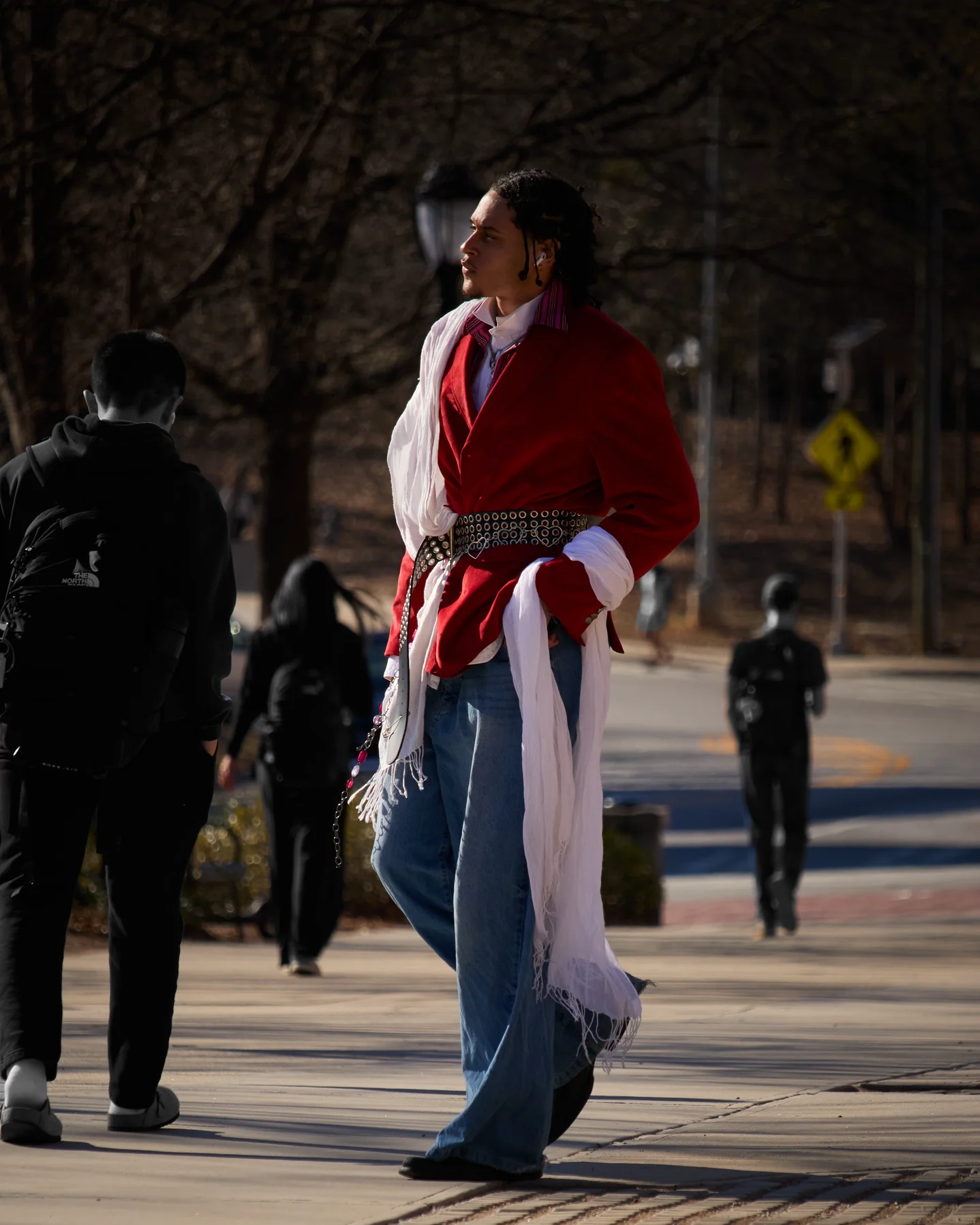
Our signature series was “Fits of the Week”. We spotted students around campus with flamboyant styles and showcased their looks on our page, and the very first post hit over 1,300 likes.
Fig. 3 — Photo from our viral "Fits of the Week" series
Within four months of launching, we’d built a following of over 1,000 people, photographed countless events, portraits and sessions, and made a series that really resonated with our campus community. It even got us featured in the local newspaper, The Red & Black.
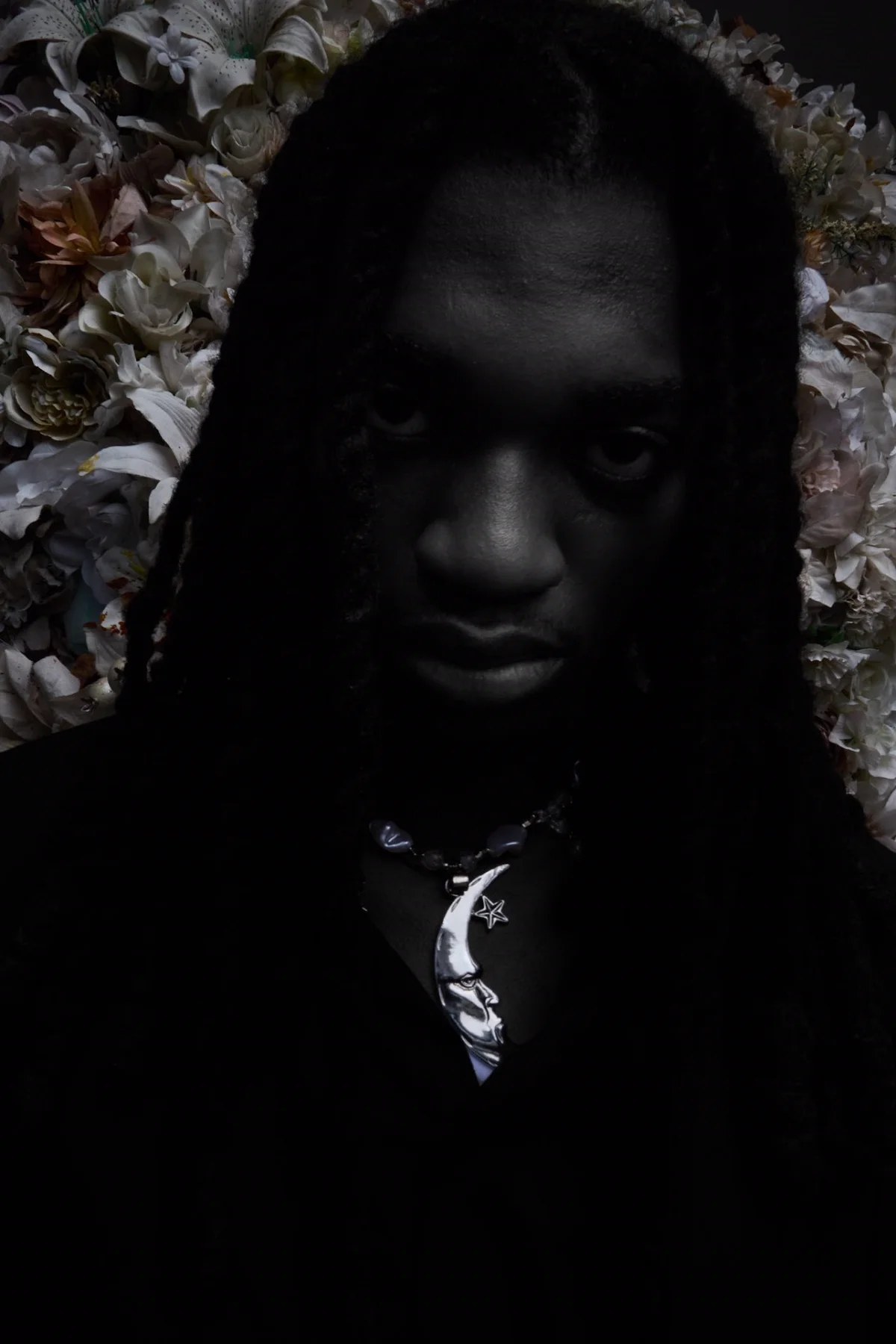
Fig. 4 — Elisha for Bold Magazine, shot under AXD, 2026
Working on AXD has helped me improve my photography, editing and art direction skills immensely. Photography, at the heart of it, is art.
And if you’re thinking about starting something of your own: you don’t have to be an expert or have everything figured out to start. Just begin, and learn along the way like we did.
3d
design + art direction
UWA
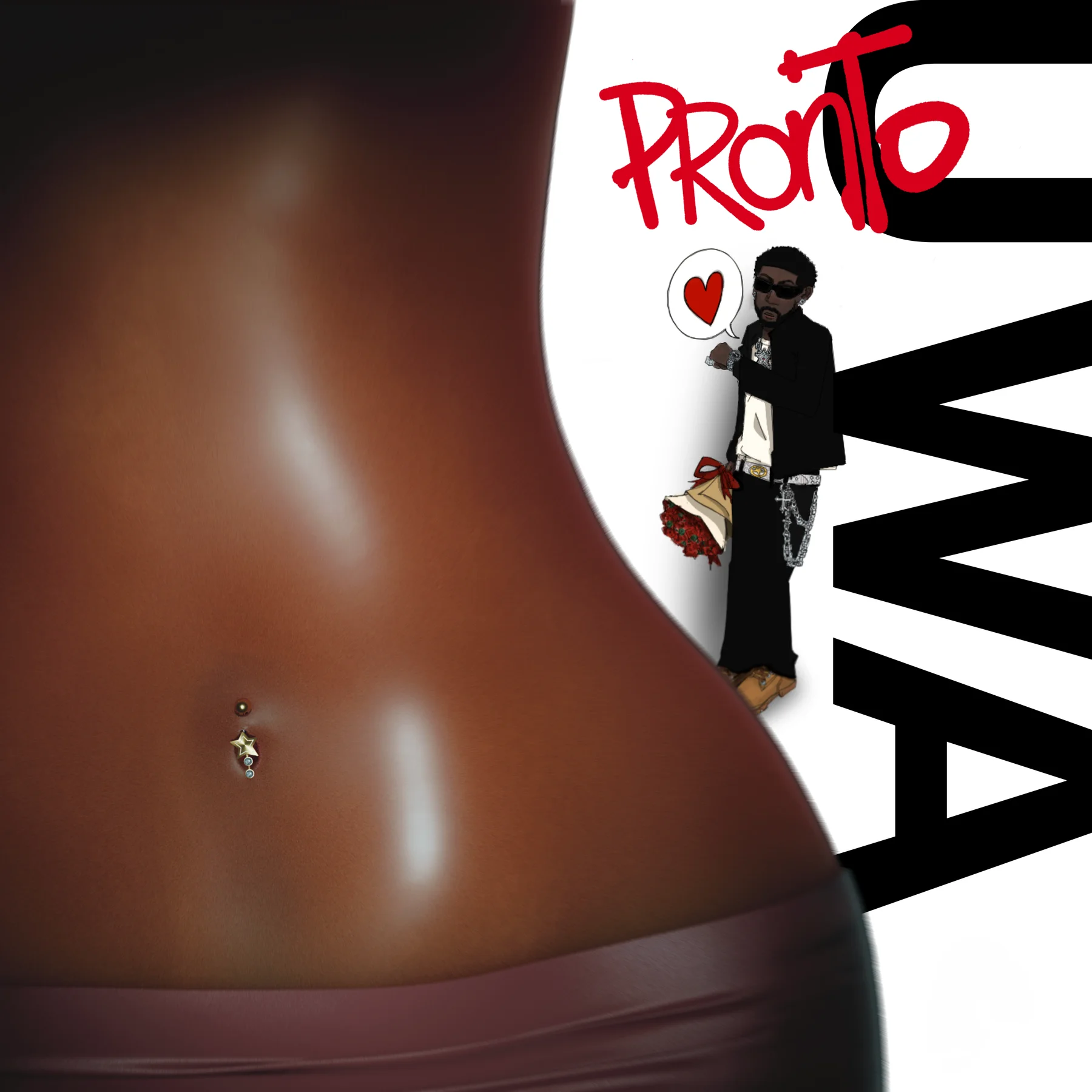
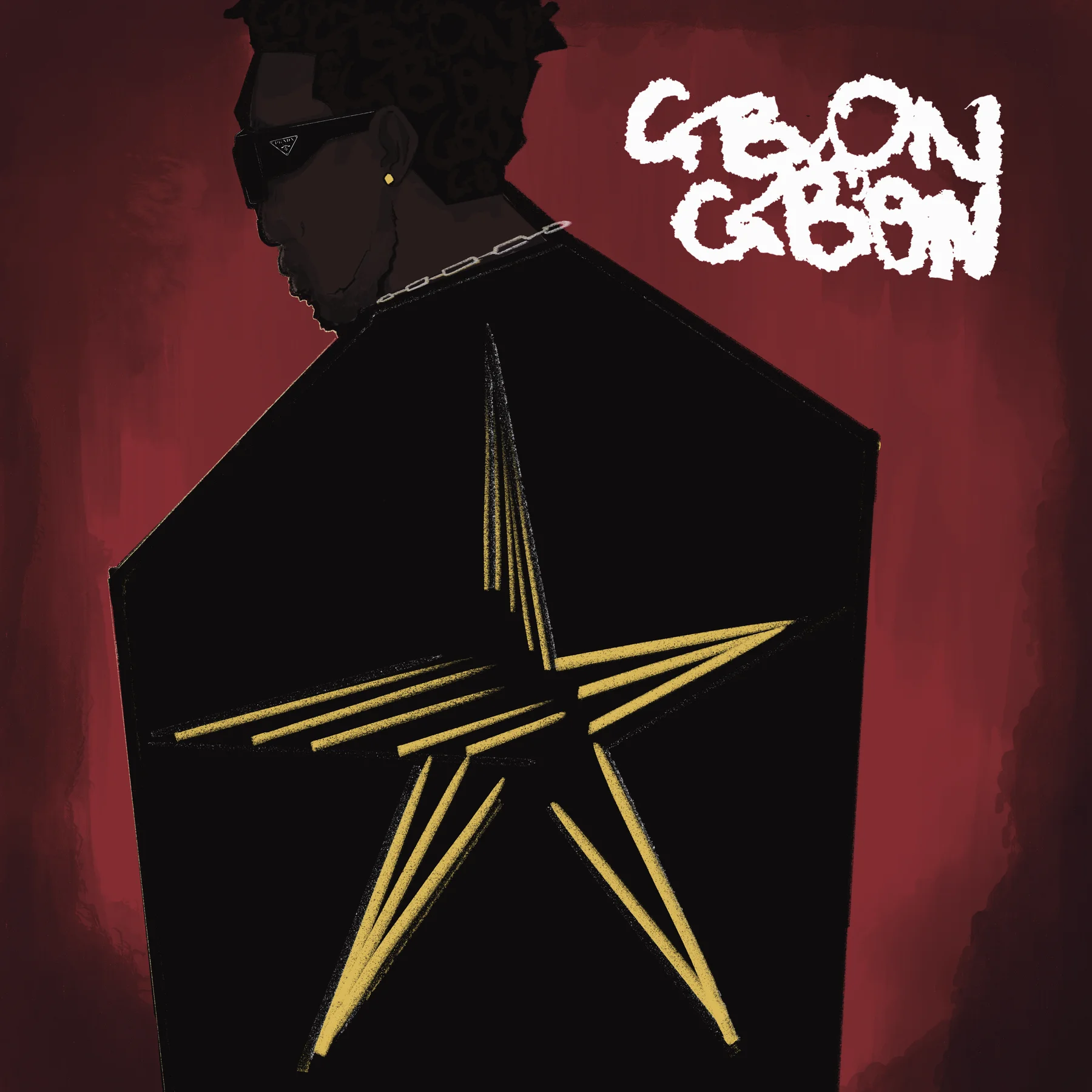
Cover art for UWA, a Toronto-based Afrofusion artist.
Fig. 1 — Cover art for UWA’s unreleased track ‘Pronto’
Each cover pulls together design, art direction and 3D to bring the song to life. I try to get the vibe of the track into every one; it’s one of the ways I get to express my creativity.
Fig. 2 — Cover art for UWA’s single ‘Gbon Gbon’, 2025